
In This Article
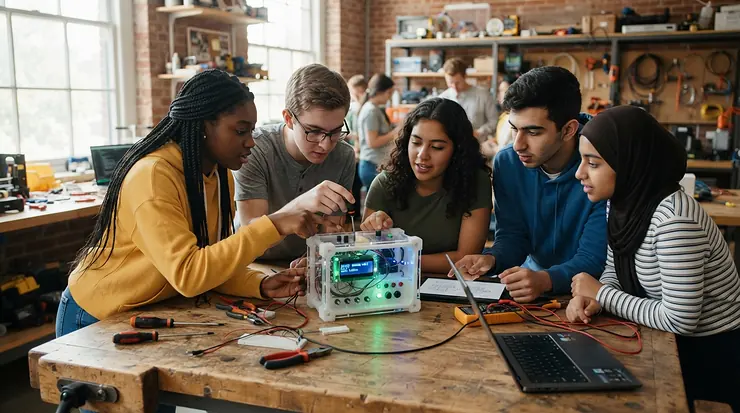
Picture thirty eighth-graders, one 200°C nozzle, and a teacher with exactly zero spare minutes. That’s the real test of an fdm printer for classroom use with safety features. A spec sheet doesn’t capture it, and neither does a YouTube speed-run. Schools don’t need the quickest machine on the market. They need one that fails quietly, pauses politely, and keeps small fingers away from hot metal.
Here’s the quick definition, since search engines like it served straight.
What is an fdm printer for classroom use with safety features? It’s a fused-filament 3D printer chosen for shared student spaces. It has an enclosed or shielded build area and firmware that watches the heaters, such as thermal runaway protection. A filament runout sensor pauses jobs instead of wasting them, and the controls are simple enough for a teacher to supervise.
Why does the “safety” half matter so much? Because state health agencies now publish guidance on this exact problem. The Washington State Department of Health guidance on school 3D printers recommends enclosing printers, exhausting emissions outdoors where possible, and keeping machines away from student desks. Spec sheets say nothing about any of that, so this guide covers it.
You’ll find seven real machines below, from kid-oriented to makerspace-grade. After them come the safety features that matter, plus a plan for turning hardware into a STEM curriculum. Prices are ranges as of late 2026, so check current pricing before you buy.
Quick Comparison Table: 7 Classroom-Ready FDM Printers at a Glance
| Printer | Enclosure | Build Volume | Safety Highlights | Price Range | Best For |
|---|---|---|---|---|---|
| Bambu Lab P1S | Fully enclosed | 256×256×256 mm | Runout sensor, power loss recovery, camera | $400-$700 | Whole-class workhorse |
| Flashforge Adventurer 5M Pro | Fully enclosed | 220×220×220 mm | Enclosure, runout sensor, power loss recovery | $330-$450 | Quiet shared rooms |
| QIDI Q2 | Enclosed + glass top | 270×270×256 mm | 3-stage air filter, flame-retardant chamber, AI camera | Around $500 | Makerspaces, advanced materials |
| Creality K1C | Fully enclosed | 220×220×250 mm | Runout sensor, power loss recovery, AI camera | $350-$450 | Budget-conscious secondary schools |
| AOSEED X-Maker Joy AI+ | Fully enclosed | 120×120×120 mm | Child lock, rounded enclosure | $250-$300 | Elementary grades |
| Bambu Lab A1 mini | Open frame | 180×180×180 mm | Runout sensor, compact footprint | $200-$300 | Supervised lab benches |
| Prusa MK4S | Open frame | 250×210×220 mm | Mature firmware, open ecosystem | $800-$1,000 | Teacher-led maker labs |
Look at the table and one thing jumps out: only five of these seven are enclosed. The Bambu Lab A1 mini and Prusa MK4S earn their spots through reliability and openness, not guarding, so they belong in supervised spaces. If students will be unsupervised for even five minutes, the enclosed models (Bambu Lab P1S, Flashforge Adventurer 5M Pro, QIDI Q2, Creality K1C) take the lead. Younger kids point to the AOSEED X-Maker Joy AI+, though its tiny build volume is a real trade-off.
💬 Just one click — help others make better buying decisions too!😊
Top 7 FDM Printers for Classroom Use with Safety Features: Expert Analysis
1. Bambu Lab P1S — the enclosed all-rounder for busy classrooms
The Bambu Lab P1S is the machine other printers get compared against. It’s fully enclosed in plastic and glass, with a 256×256×256 mm build volume and speeds up to 500 mm/s. The enclosure keeps the nozzle (up to 300°C) behind a door, which matters more in a classroom than the speed number. The spec sheet also lists a filament runout sensor, power loss recovery, and a chamber camera for remote checks.
On paper, that camera means a teacher can monitor a long print from a desk instead of hovering. Reviewers across school-focused buying guides consistently praise the near-plug-and-play setup, with Bambu’s own claim being roughly fifteen minutes out of the box. Major firmware families, Bambu’s included, are described as carrying thermal protections as standard. That matters because teachers can’t realistically audit firmware. Note that the optional AMS multi-color unit is an extra purchase, and the cloud-first workflow needs a conversation with your IT department.
Pros:
- ✅ Fully enclosed body keeps nozzle out of reach
- ✅ Filament runout sensor and power loss recovery included
- ✅ Large 256 mm cube fits whole-class batches
Cons:
- ❌ Cloud-leaning software needs IT sign-off
- ❌ Priciest of the enclosed consumer options
Price range is roughly $400-$700 depending on promotions and the AMS bundle. Value verdict: a strong long-term bet if your budget stretches.
2. Flashforge Adventurer 5M Pro — quietest enclosed option for shared rooms
The Flashforge Adventurer 5M Pro is a fully enclosed CoreXY machine with a 220×220×220 mm volume. Its design borrows visibly from Bambu’s enclosed models while keeping Flashforge’s familiar look. Comparison sites list a 280°C nozzle and a 110°C bed. Sound ratings of about 50 dB in low-noise mode and 55 dB in standard make it one of the calmer machines here. In a room where thirty students are also trying to listen to a lesson, that’s a feature.
Based on the spec comparison, the biggest classroom win is the combination of a closed chamber, a 4.3-inch touchscreen, and a filament sensor in the same family. The enclosure also suits sensitive environments, as one review notes. The Pro is heavier than open-frame rivals, so it stays put on a cart. Reviewers who compare it with the Bambu Lab A1 mini tend to say the A1 mini wins on speed and software polish, while the Pro wins on enclosure and build size. Print speed tops out lower on paper than the Bambu machines, but a classroom print queue rarely cares.
Pros:
- ✅ Enclosed chamber with low-noise operating mode
- ✅ Larger build volume than the A1 mini
- ✅ Familiar touchscreen for quick student starts
Cons:
- ❌ Slower rated speed than Bambu rivals
- ❌ Heavy, so mobile carts need to be sturdy
Expect about $330-$450 depending on the retailer. Value verdict: great for schools prizing quiet and an enclosure over raw speed.
3. QIDI Q2 — filtration-forward pick for school makerspaces
The QIDI Q2 stands out because the maker built health into the marketing. It lists a 3-in-1 air filter (G3 pre-filter, H12 HEPA, activated carbon) and a flame-retardant chamber. It also advertises multi-sensor closed-loop temperature control, an AI camera that watches for spaghetti-style failures, and a MET-certified design. Those are the maker’s claims, so ask your district whether a certification mark satisfies local procurement rules.
The build volume of 270×270×256 mm is the largest here, and an actively heated chamber (up to 65°C) opens the door to ABS and engineering filaments. Be careful with that last point. A classroom running PLA and PETG is a simpler, safer classroom. The hotend can reach 370°C, so supervision rules still apply. A filament runout feature is part of this class of machine, but confirm the exact behavior on QIDI’s spec page before purchasing. For a 3d printer for school makerspace, the Q2’s size and filtration make it a natural anchor machine.
Pros:
- ✅ Built-in three-stage air filtration
- ✅ Flame-retardant, enclosed chamber with glass top
- ✅ Biggest build volume in this lineup
Cons:
- ❌ Heated chamber tempts students toward riskier materials
- ❌ Heavier unit needs a dedicated bench
Price sits around $500 at most retailers. Value verdict: excellent for advanced classes and club spaces.
4. Creality K1C — budget enclosed speedster
The Creality K1C is an enclosed CoreXY printer with a 220×220×250 mm volume and a claimed max speed of 600 mm/s (typical printing is closer to 300 mm/s). Spec listings include a filament runout sensor, power loss recovery, an AI camera, and a 300°C nozzle. Those features cover the safety basics that matter to a teacher.
What should you make of the speed claim? Almost nothing. A 600 mm/s peak is a lab figure, and the 300 mm/s typical number is the honest one. What matters is the closed chamber and the sensors. The Creality K1C is also notable for price swings: store listings in 2026 have ranged widely, so shop around. One school-focused buying guide flags brand-history concerns for Creality, so read support terms before a bulk order. Reviewers on retail pages generally talk about quick setup and good results on common filaments like PLA and PETG, which fits a classroom workflow.
Pros:
- ✅ Enclosed chamber at a friendly price
- ✅ Runout sensor and power loss recovery standard
- ✅ 250 mm height handles taller student projects
Cons:
- ❌ Brand support concerns flagged by some guides
- ❌ Price varies widely between retailers
Plan on roughly $350-$450. Value verdict: strong for tight budgets if support terms check out.
5. AOSEED X-Maker Joy AI+ — the elementary-school specialist
The AOSEED X-Maker Joy AI+ is aimed at ages roughly 4-12 by the manufacturer’s own marketing. It’s fully enclosed with rounded edges, and listings mention a child lock and a “cool touch” design. Those are manufacturer claims, so verify them against your district’s standards. The compact 120×120×120 mm build volume sets the ceiling: you can print a keychain, a gear, or a chess pawn, not a robot chassis.
On paper, this is the most explicit kid safe 3d printer for students in the lineup, because the whole product is designed around children. App-based one-tap printing and kid-themed model libraries keep a second-grader out of slicer settings. I could verify only limited independent review depth for this model, so treat sentiment as thin and ask for a trial unit. Teachers should note the Wi-Fi app workflow, which needs device access in the room.
Pros:
- ✅ Fully enclosed, child-oriented design
- ✅ App-driven printing with no slicer needed
- ✅ Child lock to prevent unsupervised starts
Cons:
- ❌ Small 120 mm cube limits project scope
- ❌ Thinner independent review base than rivals
Roughly $250-$300 at retailers. Value verdict: right for K-5, wrong for engineering electives.
6. Bambu Lab A1 mini — the compact bench printer for supervised labs
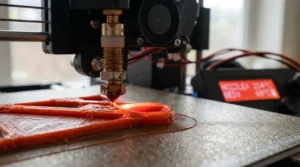
The Bambu Lab A1 mini is open-frame, with a 180×180×180 mm build volume and a bed that slides back and forth. That’s the headline classroom concern: moving parts are exposed. Comparison data lists speeds up to 500 mm/s, a 300°C nozzle, and a filament sensor. It’s compact, light (about 5.5 kg), and power-sipping at roughly 150 W.
Here’s the honest analysis. This printer earns its place when an adult is in the room and the machine sits at the back of a lab table. Reviewers consistently describe excellent software and build quality, with the main complaint being the small volume. Pair it with a simple acrylic guard or place it behind a tape line, and it becomes a cost-effective multiplier. Five of them can match one premium machine’s price. For a school makerspace running supervised rotation stations, that’s a smart play.
Pros:
- ✅ Compact footprint fits crowded benches
- ✅ Filament runout detection on board
- ✅ Lowest cost of entry among Bambu machines
Cons:
- ❌ Open frame exposes nozzle and moving bed
- ❌ Smaller volume than the P1S
Price range is roughly $200-$300. Value verdict: unbeatable for supervised multi-printer labs.
7. Prusa MK4S — the teacher’s repair-it-yourself open ecosystem
The Prusa MK4S is an open-frame workhorse with a 250×210×220 mm volume. Prusa’s openness is its hook: open hardware, open firmware, and strong documentation. Printing communities have long described Prusa firmware as shipping with thermal runaway protection on by default, and Prusa has publicly detailed improvements to its thermal management. For a computer-science teacher who wants students to understand what’s inside the box, nothing else here compares.
The catch: it’s open-frame, pricey, and demands a teacher comfortable with maintenance. Reviewers who rank school printers tend to praise Prusa’s reliability and support, while noting you pay a premium. The Prusa MK4S rewards a high-school engineering program with a dedicated lab teacher and a long runway. It doesn’t suit a rotating cast of substitute teachers.
Pros:
- ✅ Mature firmware with documented thermal protections
- ✅ Open ecosystem teaches how printers work
- ✅ Strong long-term support reputation
Cons:
- ❌ Open frame needs guard or supervision
- ❌ Highest price in the lineup
Expect roughly $800-$1,000. Value verdict: best as a flagship teaching printer in an advanced program.
Looking at the lineup above, the Bambu Lab P1S and Flashforge Adventurer 5M Pro are the safest all-round bets for general classrooms, while the QIDI Q2 wins where filtration is a priority. Budget-minded buyers should consider the Creality K1C, with the caveat on support. And the Bambu Lab A1 mini is the volume play when supervision is guaranteed.
✨ Don’t Miss These Exclusive Deals!
🔍 Take your classroom printing to the next level with these carefully selected machines. Click on any highlighted item to check current pricing and availability. These printers will help your students build projects they’re proud to show off!
How to Choose an FDM Printer for Classroom Use with Safety Features
Choosing well comes down to seven checks. Run them in order.
- Decide where it lives. A fully enclosed machine can sit in a regular classroom, while an open frame belongs in a supervised lab.
- Demand an enclosure with a door that closes. It keeps fingers from the nozzle and contains some emissions.
- Confirm thermal runaway protection. Ask the vendor in writing, not just in a spec bullet.
- Look for a filament runout sensor. It saves failed prints and prevents the wrong kind of “fix” at the machine.
- Check power loss recovery. School power blips happen, and resuming beats restarting.
- Match software to your IT reality. A cloud-only workflow can clash with district networks.
- Count total cost. Add filament, spare nozzles, an air filter, and a cart.
Think of it like buying a lab bench stool: you can pick the fanciest, but the one that doesn’t wobble wins.

Enclosed vs Open-Frame Printers: What the Table Won’t Tell You
| Feature | Enclosed (e.g., Bambu Lab P1S, QIDI Q2) | Open Frame (e.g., Bambu Lab A1 mini, Prusa MK4S) | Best For |
|---|---|---|---|
| Student access to hot parts | Behind a door | Exposed | Enclosed: unsupervised rooms |
| Noise | Lower | Often louder | Enclosed: shared classrooms |
| Emissions control | Contains, can filter | Open to room air | Enclosed: air-quality concerns |
| Price per unit | Higher | Lower | Open: multi-printer labs |
| Maintenance access | Door or panel | Wide open | Open: teaching mechanics |
Here’s the analysis. Enclosure wins on safety by design, because it doesn’t depend on student behavior. Open frames win on cost and hands-on learning, but they depend on a human being present. A frequent middle path is an open-frame printer inside a purpose-built printer cabinet with filtration, which one guide on classroom fumes described as the critical safety tool. If your budget forces a choice between one enclosed printer and four open ones, ask how many adults will be around.
Thermal Runaway Protection: The Safety Feature You Can’t See
Thermal runaway protection is a firmware safeguard. It watches whether the heater’s temperature actually follows the target, and if something goes badly wrong (a failed thermistor, a loose heater cartridge), it cuts power. All3DP’s explainer on thermal runaway notes the feature works by shutting things down rather than by preventing the underlying fault. That distinction matters for schools: the protection is a net, not a guarantee.
Several sources describe the history this way. Early printers shipped without it, incidents followed, and firmware projects like Marlin responded by making it mandatory. Major firmware families, including Klipper, Prusa’s, and Bambu’s, are described as having similar mandatory protections today. The old advice still applies, though: buy from a vendor who lists it, and avoid rebadged or unsupported budget kits.
Practical rule for teachers: never buy a used or kit printer for a classroom unless someone can confirm the firmware’s thermal protection works. Add a smoke detector near your printer area, and keep a “heater error” response card taped nearby that reads: power off, unplug, tell the teacher.
Filament Runout Sensor: Small Part, Big Classroom Payoff
A filament runout sensor does one deceptively simple job. It detects when the spool ends or the filament snaps, and it pauses the print so a human can reload. In a classroom this matters for a reason beyond saved plastic. Without it, a nozzle can keep extruding nothing for hours while a student wonders why the print looks like a ghost.
The Bambu Lab P1S, Creality K1C, and Bambu Lab A1 mini all list this feature in their specs. Based on the spec comparison, the bigger benefit is classroom flow: a paused print is a teachable moment (“what happened?”), while a silently failed print is a wasted period. One caution is that some sensors detect a break, not a tangle. Teach students to check the spool path before pressing Start, and keep a spare spool labeled for each machine.
Kid Safe 3D Printer for Students: What “Kid Safe” Actually Means
“Kid safe” is a marketing phrase, not a legal standard. The honest approach is a layered one. A kid safe 3d printer for students should include a physical barrier (an enclosure), a cooler or shielded nozzle design where possible, a lock or approval step before printing, and quiet, simple controls. The AOSEED X-Maker Joy AI+ leans hardest on those, with a child lock and rounded enclosure per its listing.
Still, no printer is child-proof. Nozzles run well above boiling water, and beds can be hot long after a print ends. Younger students should never open the door mid-print. Make it a classroom rule with a visible signal, like a red cone placed on the bench while a printer is running.
For middle and high school, the better strategy is student certification. Students pass a short safety quiz (hot parts, ventilation, never leaving a printer unattended) and earn a “printer license” card. It sounds silly, and it works. Students who’ve earned the card police each other, and teachers get fewer incidents to manage.
3D Printer for School Makerspace: Layout, Workflow, and Rules
A makerspace changes the math. You’re not buying a printer, you’re building a workflow. For a 3d printer for school makerspace, think in terms of stations.
Layout. Put printers along a wall near a window or exhaust path, not clustered at student desks. Give each machine a labeled shelf spot and a power strip with a master switch.
Queue. Use one shared sign-up sheet or a print-request form. A teacher approves files before they run, which catches oversized models and impossible overhangs.
Roles. Rotate student roles each week: “printer captain,” “filament librarian,” “cleanup lead.” This keeps the room from depending on one overworked teacher.
Fleet math. Several inexpensive machines usually beat one expensive one for throughput, because a single jam doesn’t stall the class. That’s why a pair of Bambu Lab A1 mini units or an Flashforge Adventurer 5M Pro plus an QIDI Q2 can form a balanced starter fleet.
Finally, label everything. A bin labeled “scrapers,” “spare nozzles,” and “approved filament only” prevents a thousand small arguments.
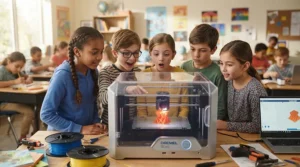
STEM Curriculum: Turning a Printer Into Lessons Students Remember
Hardware alone doesn’t teach anything. A printer plugged into an empty STEM curriculum is just an expensive paperweight with a nice light. Tie it to standards-friendly units instead.
Grades 3-5: Design a solution. Students design a pencil holder or classroom label in a kid-friendly app, print it, and test it. The AOSEED X-Maker Joy AI+ fits here.
Grades 6-8: Iterate and measure. Students print a bridge component, test its load, then revise. They graph the difference between 15% and 40% infill. That’s math, engineering, and data in one lesson.
Grades 9-12: Mechanical systems. Students print gears, linkages, and enclosures for electronics projects. The Prusa MK4S or QIDI Q2 can anchor an advanced elective.
A simple case study: imagine a middle school with 90 students across three sections and two printers. If each student gets one print per quarter, that’s roughly 360 prints a year. Small, 45-minute prints keep the queue moving, so teachers should cap model size and require a teacher-approved design before printing. Without a cap, a single twelve-hour print can eat a week’s access.
Air Quality and Safety Guidance: What Schools Should Do
Here’s where honest analysis beats marketing. A CDC and NIOSH-linked study published in the Journal of School Health, Three-Dimensional Printing in Non-Industrial Spaces: A Summary of Emissions Evaluations in 11 School Settings, found that volatile organic compounds and ultrafine particles were detected during 3D printing. The authors also identified opportunities to improve practices and reduce potential exposure.
Related research reported in the trade press found the increases were short-lived. Once printing stopped, particle levels generally returned to background levels. PLA tended to produce more ultrafine particles in one study, while ABS produced slightly higher PM2.5. Room size, ventilation, and filter maintenance all mattered.
What does that mean in practice?
- Stick to PLA and PETG in general classrooms, and avoid ABS and ASA.
- Choose enclosed printers, and consider models with built-in filtration like the QIDI Q2.
- Ventilate the room and keep printers away from student seating.
- Limit exposure time. Don’t have students hover over a running machine.
- Replace filters on schedule. A clogged filter is a decoration.
Call your school’s facilities lead early. They can tell you about room ventilation rates, which no printer spec sheet will.
Common Mistakes When Buying a Classroom 3D Printer
Mistake one: buying on speed. A 600 mm/s headline means little when most classroom prints run at moderate speeds anyway.
Mistake two: ignoring the network. Cloud-based workflows are wonderful until the district firewall blocks them. Test before you buy.
Mistake three: forgetting consumables. Nozzles, build plates, and filament add up fast. Budget about a fifth of the printer price for the first year’s supplies.
Mistake four: skipping the teacher training. The most advanced printer fails in the hands of someone who was never shown how to level, clean, and reload.
Mistake five: buying a kit. Kit printers teach wonderful lessons, but they are risky when no one verifies firmware safety settings.
Analysis: most of these mistakes come from shopping like a hobbyist. Classrooms need predictability, not peak specs.
Long-Term Cost and Maintenance: Total Cost of Ownership
| Printer | Upfront Range | Maintenance Burden | Best For |
|---|---|---|---|
| Bambu Lab P1S | $400-$700 | Low to moderate | Busy general classrooms |
| Flashforge Adventurer 5M Pro | $330-$450 | Low | Quiet shared rooms |
| QIDI Q2 | Around $500 | Moderate (filters) | Makerspaces |
| Creality K1C | $350-$450 | Moderate | Budget secondary schools |
| AOSEED X-Maker Joy AI+ | $250-$300 | Low | Elementary grades |
| Bambu Lab A1 mini | $200-$300 | Low | Multi-printer labs |
| Prusa MK4S | $800-$1,000 | Low (but hands-on) | Advanced programs |
Reading the table, a cheap printer isn’t automatically a cheap program. The Bambu Lab A1 mini costs less upfront, but you’ll need guards and supervision time. The Prusa MK4S costs more, yet teachers often describe low long-term drama. A reasonable yearly maintenance plan includes nozzle replacements, fresh build plates, lubrication per the manual, and filter swaps on enclosed models with filtration. Divide total cost by the number of student prints and you’ll see why a reliable mid-priced machine often wins on cost per print.
First 30 Days: Problems and Solutions
Problem: first layers won’t stick. Solution: clean the build plate with isopropyl alcohol (never with fingers), and run auto-leveling after any move.
Problem: prints fail overnight. Solution: don’t run unattended prints in a classroom. Use camera monitoring where available, like on the Bambu Lab P1S, and keep jobs inside school hours.
Problem: students overload the queue. Solution: cap print time at around two hours and require teacher approval.
Problem: filament tangles. Solution: store spools in sealed bins with desiccant and teach the “check the spool path” habit before every start.
Problem: nobody knows what to do when something looks wrong. Solution: post a one-page emergency card. Power off, unplug, notify the teacher. UL’s research pointed out that many schools underestimate ventilation, as covered in Digital Engineering’s report on UL’s findings, and its recommendation to step away during long prints applies directly to classroom habits.
Run these fixes in the first month and the machine becomes boring, which is the highest compliment a classroom tool can earn.

FAQ
❓ How many 3D printers does a school need?
❓ Is PLA really the safest filament for schools?
❓ Can students operate printers without a teacher present?
❓ Do I need special insurance or approval to run printers at school?
❓ What grants help schools buy 3D printers?
Conclusion
The best fdm printer for classroom use with safety features isn’t the fastest or the flashiest. It’s the one that behaves predictably with thirty students in the room. For most general classrooms, an enclosed machine like the Bambu Lab P1S or Flashforge Adventurer 5M Pro offers the safest balance of price, support, and ease. The QIDI Q2 shines when filtration and size matter, and the Creality K1C stretches tight budgets, provided you vet support. The AOSEED X-Maker Joy AI+ gives younger learners a gentler on-ramp, while the Bambu Lab A1 mini and Prusa MK4S reward supervised labs and advanced programs.
Remember the three layers of classroom safety: hardware (enclosure, thermal runaway protection, filament runout sensor), environment (ventilation and room placement), and habits (supervision, rules, and training). Skip any layer and the others have to work harder.
Start small, write down your rules, and tie every print to a STEM curriculum goal so the machine earns its keep.
✨ Ready to Bring 3D Printing Into Your Classroom?
🚀 Compare the picks above, check current pricing and availability, and choose the printer that fits your room, your students, and your budget. Your future engineers are waiting!
Recommended for You
- Enclosed Printer for Printing ABS Without Warping: 7 Best in 2026
- Auto Bed Leveling FDM Printer for First Time Users: 7 Best 2026
- FDM Printer for Miniature Wargaming Terrain: 7 Best Picks in 2026
Disclaimer: This article contains affiliate links. As an Amazon Associate, I earn from qualifying purchases. If you purchase products through these links, we may earn a small commission at no additional cost to you.
✨ Found this helpful? Share it with your friends! 💬🤗
